My Quest for Six Degrees of Freedom

Almost three years ago, my Wife’s Grandmother, Rita, asked if I had any interest in an Oculus GO she had laying around. It was a gift from the family to my Wife’s Grandfather, shortly before he passed. Due to his declining health, he was mostly confined to his armchair. We decided that it might be a good gift to keep his spirits high. After all, there is no small evidence that virtual reality has many therapeutic benefits. However, after his passing, Rita realized that it was just taking up space.
Initially she had asked me to sell it on eBay, but to my surprise it was basically worth more as a paper weight. What released at the price point of $200 USD, can now be found for as low as $10 USD. This was a shock to me as a tech enthusiast, but considering it was put on shelves in May of 2018, and was entirely discontinued in 2020 (only 2 years after its release!). The store is now completely inaccessible. It really was just bricked.
This was a surprise because the GO had surprisingly good hardware. It has native 1440p resolution per-eye, 3 gigabytes of LPDDR4 Memory, and a quad-core Snapdragon processor. Not bad for $10.
Curse you planned-obsolescence!
I’m sure that on a corporate level this looked like a gross misallocation of performance, since it was really just a glorified media player. However, I quickly realized why this device is frequently passed up by most: It only includes three degrees of position tracking, or “three-degrees-of-freedom” (3DoF). This means it does not have translation tracking, only rotation.
Yikes.
It ships with only one wireless remote, permanently locked to the bottom-right corner of the viewport, which only uses it’s internal gyroscope to update the direction of the display. The device does not compute the location of the headset within a boundary– and humans move their head forward and back subtly even while remaining stationary.
To help you picture it, the experience was similar to those old cardboard headsets you’d slide a smartphone into. They only seemed to be good for consuming 360-degree videos on YouTube (which entertains you for exactly ten minutes). Anything else was not really possible. You might have been able to “play” video games, if the store had not been dismantled.
I mourned the low sell value of this device (no thanks to eBay’s fees), and it’s complete, proprietary uselessness. It seemed that it was just taking up space once again.
But, a thrilling quest was on the horizon.
Reviving this old headset
Often to my detriment, I give up less than I should. Even when all signs are calling for a cease-fire. But, put yourself in my shoes– this was my chance to finally play titles like Half-Life: Alyx, without flushing a grand for a set of fancy goggles. I now owned a VR headset, only to learn it to was practically useless.
No. I refuse to let this piece of hardware rot. There must be a way to squeeze a good experience out of this headset?
In fact, why stop there? Through the combination of open-source software, and hardware most people have, we might be able to make the cheapest six-degrees-of-freedom (6DoF) experience money can buy!
I set off on my quest to restore the Oculus GO to its former mediocrity, only to imbue it with infinite power. All while cutting down on digital waste, encouraging DIY headsets, making exciting content, and leveling-up on my coding skills. Easy-peasy. Right?
First attempt
Earlier this week I stumbled upon the records of this attempt. I was impressed by quality and depth of my own documentation, but the contents were a roller coaster. I recalled the frustration with CMake or other build tools, and being confused with the commands that people on StackOverflow confidently told me to run. Especially the frustration of not understanding why UNIX-based applications couldn’t run on a Windows machine.
Only now do I see how tech-illiterate I was. I had ambition, but great tools are only useful with the knowledge to use them. As I read about the struggles I had, It seemed like I didn’t know the first thing about computers. I had had wrongly assumed that web development was simply a wing of programming.
Despite most of my ignorance coming from my use of Windows (Linux had not yet baptized me by fire) It was still the start of my journey into code. I dabbled in JavaScript here-and-there, yet had only scraped the surface. Of course, I had successfully written a for-loop, and printed “Hello World!”, so I could identify as a master programmer.
Stack
I kicked-off my first attempt by scouring the internet in search of any tools that could aid me in my quest. Turns out there were lots of projects that seemed to be the perfect solution. ALVR, a essential piece of software that supported GearVR and Oculus GO, would allow interfacing between the headset so it became a display. Even better, it could be used remotely over Wifi.
Initially, I tested head tracking with tools like OpenTrack. There seemed to be a lot of crossover with what I was looking to do and the flight simulation community, so I learned a lot of tricks from them. The assumption was that smaller is better, and everyone has a webcam. It would be most practical. As directed by the flight sim community, ArUco markers were the simplest solution. However, the captured movements were too unreliable and required full light to identify.
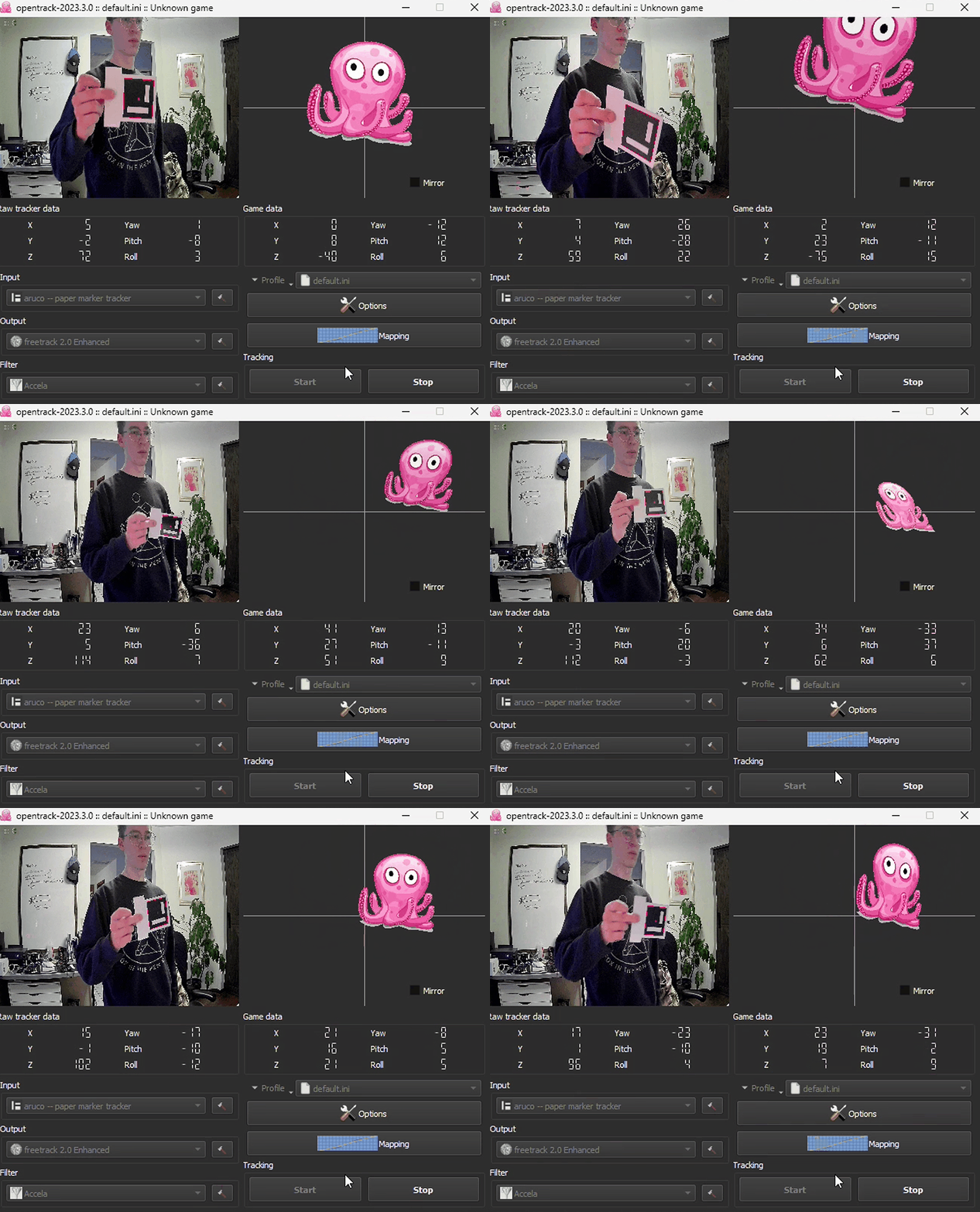
Then, I wired up some cheap LED lights to a test battery pack and the points were tracked surprisingly well. However, when introducing controllers into the mix, it made it impossible to distinguish each tracked point.
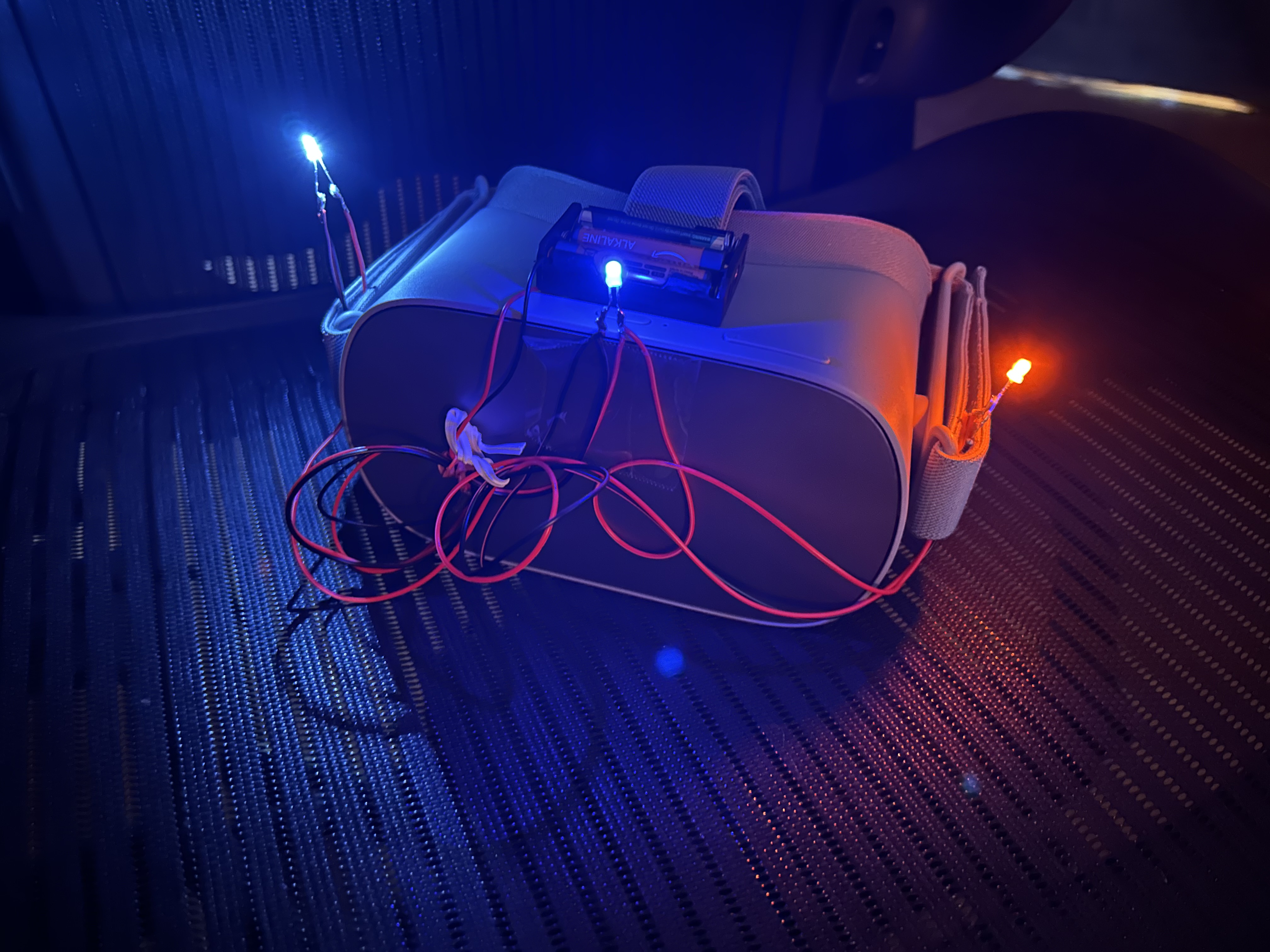
With much trial and error, I decided that point-tracking of three individual units was completely unrealistic. Especially without any modification. Pivoting to infrared or some other motion capture technology seemed more appropriate.
Then, like an angel swooping in to save the day, I found two ancient Xbox 360 Kinect 1s. Using the open-source Kinect drivers called libfreenect, I could create real-time body tracking that worked… unreliably. But, we had some sort of success.
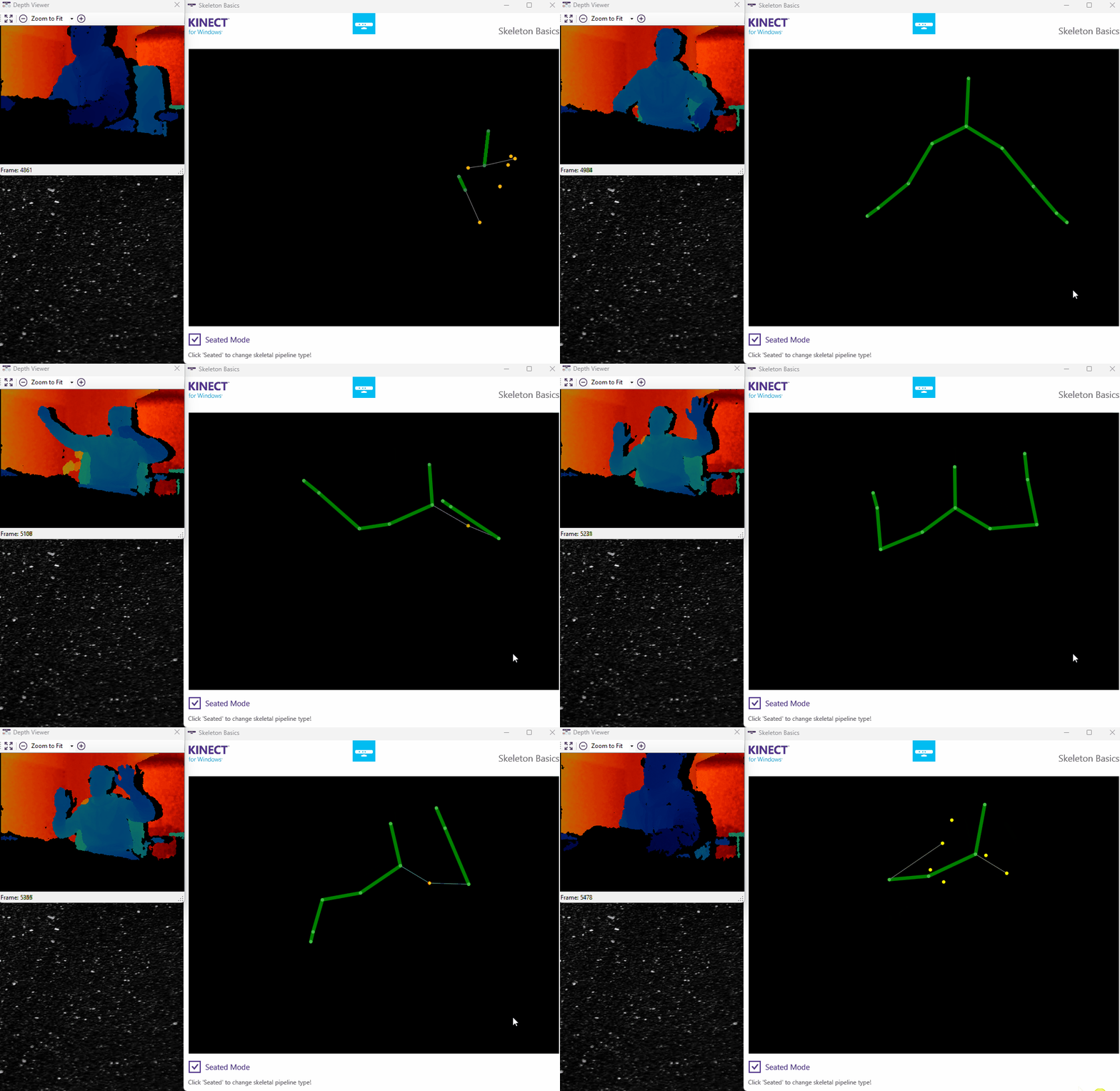
This became increasingly challenging with the delay, and lighting conditions varying. But, while combining ALVR with some old builds of Driver4VR, and a custom FreePIE script, I was able to get a very scuffed version working. It was very, very far from even playable, but it proved that the goal was attainable.
Unfortunately, after this mild glimpse of success, I seemingly dropped the project. Likely a result of a new hyper-fixation sweeping in to take the cake.
But in my eyes, the project is not dead. I am closer than ever with newfound knowledge and some clear directions to improve on my concept. For some reason, I can’t seem to get this out of my head.
Planning the second attempt
My leading theory currently involves two Xbox 360 Kinects (1s), Nintendo Switch controllers. Each Kinect would be positioned at a different axis, to anchor spatial and positional data. Since the Switch controllers come with gyroscopic sensors and IMUs , micro-movements and blind-spots can easily be padded in the code. Implementing a sensor fusion algorithm, like the industry standard Extended Kalman Filter (EKF), could be a good place to start.
Additionally, since most people only have a singular Kinect, it would be ideal if I could allow flexibility with the number of sensors, instead of requiring both units. They are rather cheap online, but the goal is to utilize hardware people might already have laying around.
ALVR is still a good starting point here, but could be forked to develop further along my pathway. Likely there will be no real divergence for this part of the plan, especially since the wireless approach worked so well on the first run. If anything, I might rip out the old GUI with forced input control in order to allow me a little more freedom.
Another direction could involve some light-weight SLAM, LiDAR technology, or a combination of both. This could keep the unit completely free of external modules and isn’t prone to blind-spots. Sadly, the cost of these could tip the scale. Most units, even with budget hardware can run upwards of $200 USD, and that doesn’t exactly fit the goal of creating a cheap, “recycled” VR setup.
The only core difference between these two approaches is LiDAR verses external Infrared tracking—unit watches me verses my headset watches the room. They’d both use a combination of inertia and spatial tracking to create a smooth experience.
The significance of this is just for my own edification. The goal-post has not really been moved, but now I know how to kick the ball. Having this plan makes it more achievable— like sketching.
Although we have arrived at the dreadful “to be continued,” I’ll make it known that I desperately want to continue pursuing this project. There is so much magic in reviving old hardware. It’s this concept that if applied to the rest of our lives might, it could inspire a life of fewer, better things. Or, it could keep some extra cash in our pocket (of course, so we have more to spend on shiny tech!). It helps me appreciate the complexity-made-simple of flagship products, harkening back to my UX roots.
Let’s take the small steps to create some really cool tech. You might surprise yourself with what you come up with, even if the goal is to just get back to playing video games.
Max